Transferring website ownership
- What transferring does
- Move a website to another of your teams
- Transfer a website to another user
- Accepting a transfer
- Things to know
What transferring does
Every website in Galytics is owned by a team. Transferring a website moves it, along with all of its analytics data, goals, filters and custom events, to a different team. The tracking script on your site keeps working, so there is no gap in your data.
Only the owner of the team that currently holds the website can transfer it.
{info} Integrations that belong to the previous owner are reset during a transfer: Google Search Console is disconnected, and the Slack webhook and report recipients are cleared. The new owner can set these up again from the website settings.
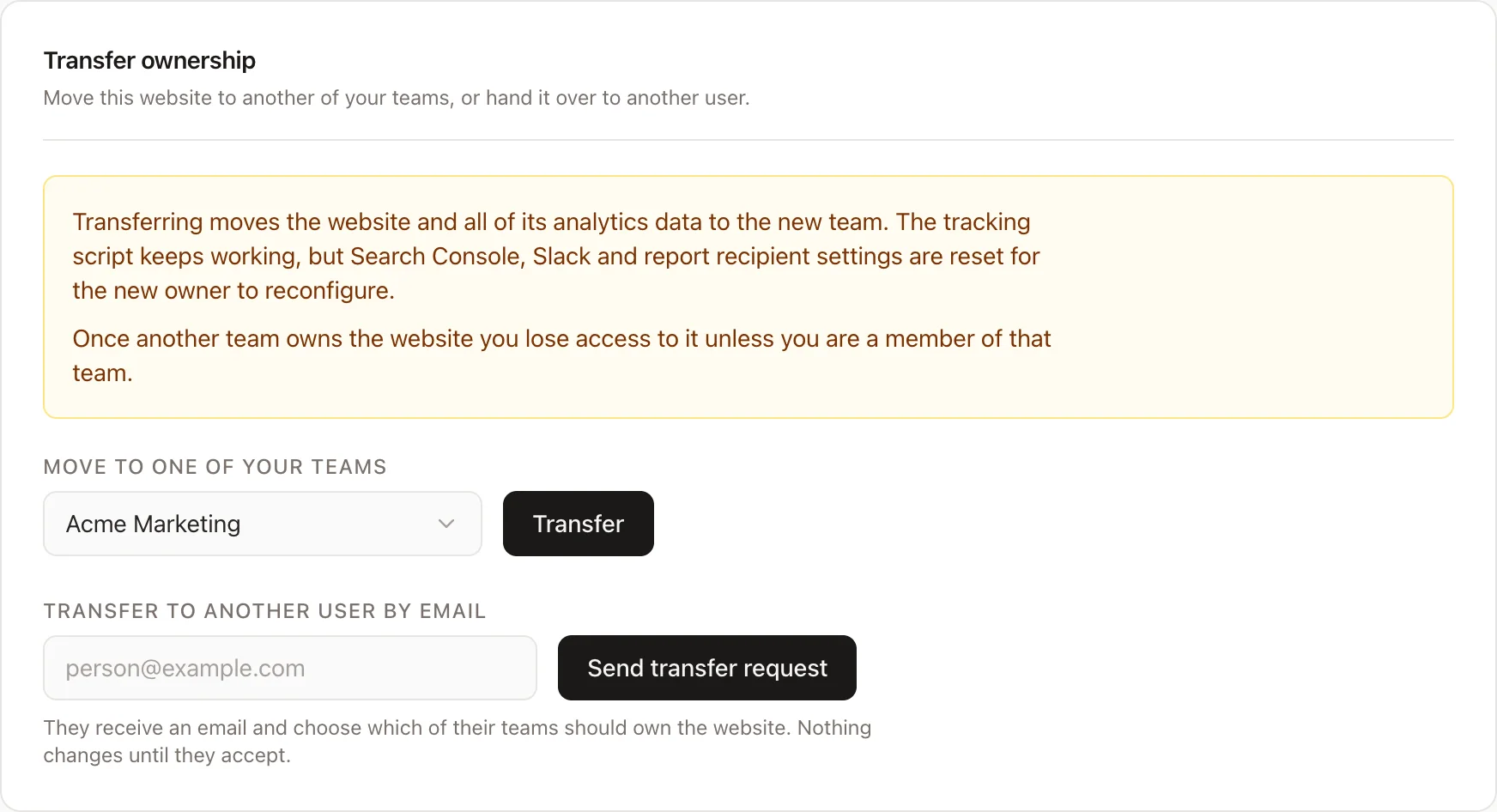
Move a website to another of your teams
If you belong to more than one team, you can move a website between your own teams instantly.
- Open the website settings and go to the Danger zone tab.
- In the Transfer ownership section, pick the destination team under "Move to one of your teams".
- Click Transfer and confirm.
The website moves right away. The destination team needs an active subscription.
Transfer a website to another user
To hand a website to someone else, invite them by email.
- Open the website settings and go to the Danger zone tab.
- In the Transfer ownership section, enter the recipient's email under "Transfer to another user by email".
- Click Send transfer request.
Nothing changes until the recipient accepts. While a request is pending you can cancel it from the same section.
Accepting a transfer
The recipient gets an email with a link to review the transfer. Opening it shows the website being offered and lets them choose which of their teams should own it. The chosen team needs an active subscription.
Once accepted, the website belongs to the recipient's team and the previous owner loses access to it, unless they are also a member of that team. The previous owner is notified by email that the transfer completed.
Things to know
- Transfers cannot be undone from the app. If a website ends up with the wrong team, transfer it back.
- The destination team must have an active subscription before it can receive a website.
- Historical usage counts stay with the team that recorded them; new traffic counts against the new owner's team.
- A website can only have one pending transfer request at a time.